Лидеры



Популярный контент
Показан контент с высокой репутацией 29.01.2019 во всех областях
-
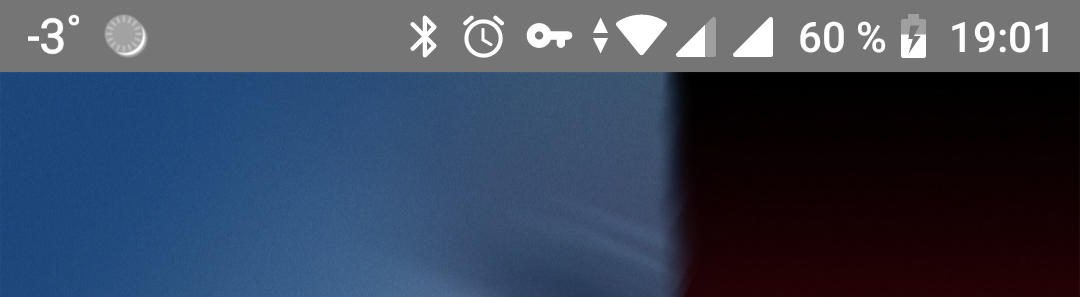
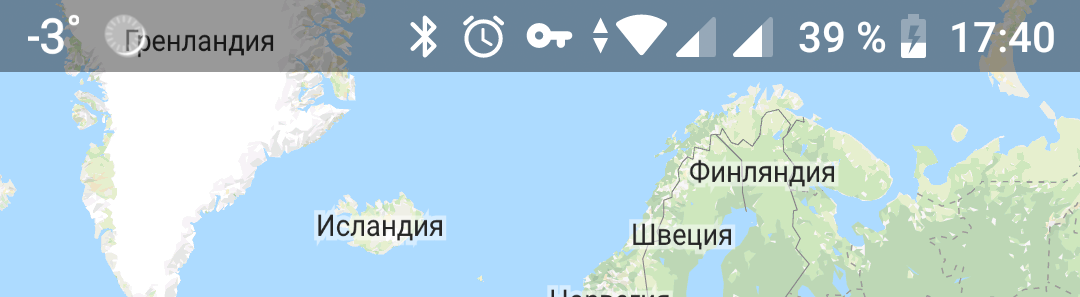
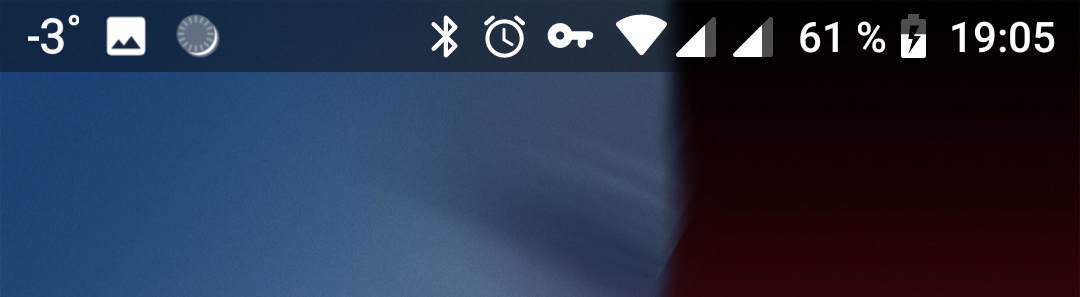
Привет Вчера была выпущена финальная версия RAD Studio 10.3 Rio, в которой много нововведений для Андройд. Но вот про статусбар снова "забыли". Хотя не совсем, добавили файлик styles-v21.xml, который превносит новую материальную тему на устройствах под управлением Android 5.0 и выше вместо устаревшей Holo. Но все равно свойство формы SystemStatusBar так и не реализовали. Поэтому при запуске статус бар будет окрашен в унылый серый цвет (см. скриншот). Для того, чтобы сделать статусбар прозрачным и поместить под него содержимое формы, то достаточно сделать несколько несложных шагов: 1. Убираем из деплоймента (Project -> Deployment) файл styles-v21.xml (можно просто снять галочку рядом с именем файла) 2. Добавить в деплоймент проекта новый файл styles-v21.xml (styles-v21.zip) и прописать ему путь res\values-v21\ 3. В результате получится следующий вид P.S. В новом файле по сравнению со стандартным добавилась строчка <item name="android:windowTranslucentStatus">true</item>, которая и отвечает за прозрачный статусбар P.P.S. Чтобы определять размер статус бара, все также можно воспользоваться решеним ZuBy - http://blog.rzaripov.kz/2016/12/android-ios.html P.P.P.S. Тестовый проектик - StatusBar.zip
 1 балл
 -
Причем сразу на 2 )) каюсь, я не стал выяснять почему1 балл
-
Owner объявлен как __unsafe для того, чтобы объекты не увеличивали счетчик ссылок у их владельцев. То есть, это для того, чтобы когда мы пишем, например: TButton *btn = new TButton(Form1), то счетчик ссылок у Form1 не изменился. Когда мы указываем владельца при создании объекта, то он (создаваемый объект), попадает в список того, чем владеет владелец, поэтому счетчик ссылок создаваемого объекта увеличивается.1 балл
-
Может быть вам пригодится - мой пример векторного подхода к AniIndicator без использования картинок и для различных разрешений экрана. Для отрисовки дуги использовал компонент Равиля на основе FMX.Graphics.Native, поскольку стандартные функции не красиво рисуют под Андроидом. Сам индикатор: unit newaniindicator; interface uses System.SysUtils, System.Types, System.UITypes, System.Classes, System.Variants, FMX.Types, FMX.Controls, FMX.Forms, FMX.Graphics, FMX.Dialogs, FMX.Ani, FMX.Objects, FMX.Layouts, FMX.ZNativeDrawFigure; type TNewAniIndicator = class(TZNativeDrawFigureArc) Animation: TFloatAnimation; procedure AnimationProcess(Sender: TObject); procedure AnimationFinish(Sender: TObject); procedure IndicatorResize(Sender: TObject); procedure Start; procedure Stop; Constructor Create(AOwner: TComponent); override; Destructor Destroy; override; private active: boolean; public colors: array of TAlphaColor; end; implementation constructor TNewAniIndicator.Create(AOwner: TComponent); begin inherited Create(AOwner); Fill.Kind:=TBrushKind.None; Stroke.Cap:=TStrokeCap.Round; Stroke.Join:=TStrokeJoin.Round; Animation:=TFloatAnimation.Create(Self); with Animation do begin Parent:=Self; Duration:=1; StartValue:=-90; StopValue:=270; PropertyName:='StartAngle'; Interpolation:=TInterpolationType.Quadratic; OnProcess:=AnimationProcess; OnFinish:=AnimationFinish; end; OnResize:=IndicatorResize; end; destructor TNewAniIndicator.Destroy; begin Animation.Free; inherited; end; procedure TNewAniIndicator.IndicatorResize(Sender: TObject); begin Stroke.Thickness:=Width*0.1; end; procedure TNewAniIndicator.Start; begin active:=true; Stroke.Color:=colors[0]; Visible:=true; Animation.Start; end; procedure TNewAniIndicator.Stop; begin active:=false; Visible:=False; Animation.Stop; end; procedure TNewAniIndicator.AnimationProcess(Sender: TObject); begin EndAngle:=-0.0037*sqr(StartAngle)+0.667*StartAngle+90; //Функция сжатия/растяжения дуги end; procedure TNewAniIndicator.AnimationFinish(Sender: TObject); var i: byte; begin if active then begin i:=0; while colors[i] <> Stroke.Color do inc(i); if i=length(colors)-1 then Stroke.Color:=colors[0] else Stroke.Color:=colors[i+1]; Animation.Start; end; end; end. Далее в программе: ani:=TNewAniIndicator.Create(form1); with ani do begin Parent:=Form1; Width:=Form1.Width*0.2; Height:=Width; setlength(colors,6); colors[0]:=TAlphaColors.Red; colors[1]:=TAlphaColors.Orange; colors[2]:=TAlphaColors.Yellow; colors[3]:=TAlphaColors.Green; colors[4]:=TAlphaColors.Blue; colors[5]:=TAlphaColors.Violet; Start; end; newaniindicator.zip1 балл
-

Насколько хорош FMX для iOS?
MrAnderson отреагировал krapotkin за вопрос
у человека приложение сертифицированное для авиакомпаний достаточно серьезное? деловое, промышленного назначения. именно в стиле делфи. а вот про "несерьезные" вопрос есть...1 балл


Эта таблица лидеров рассчитана в Москва/GMT+03:00